
From Creative Ideas to Profitable Digital Products: A Modern Strategy for Creators
Turn your ideas into useful products, build a recognizable creative brand, and create a business that can grow with you.
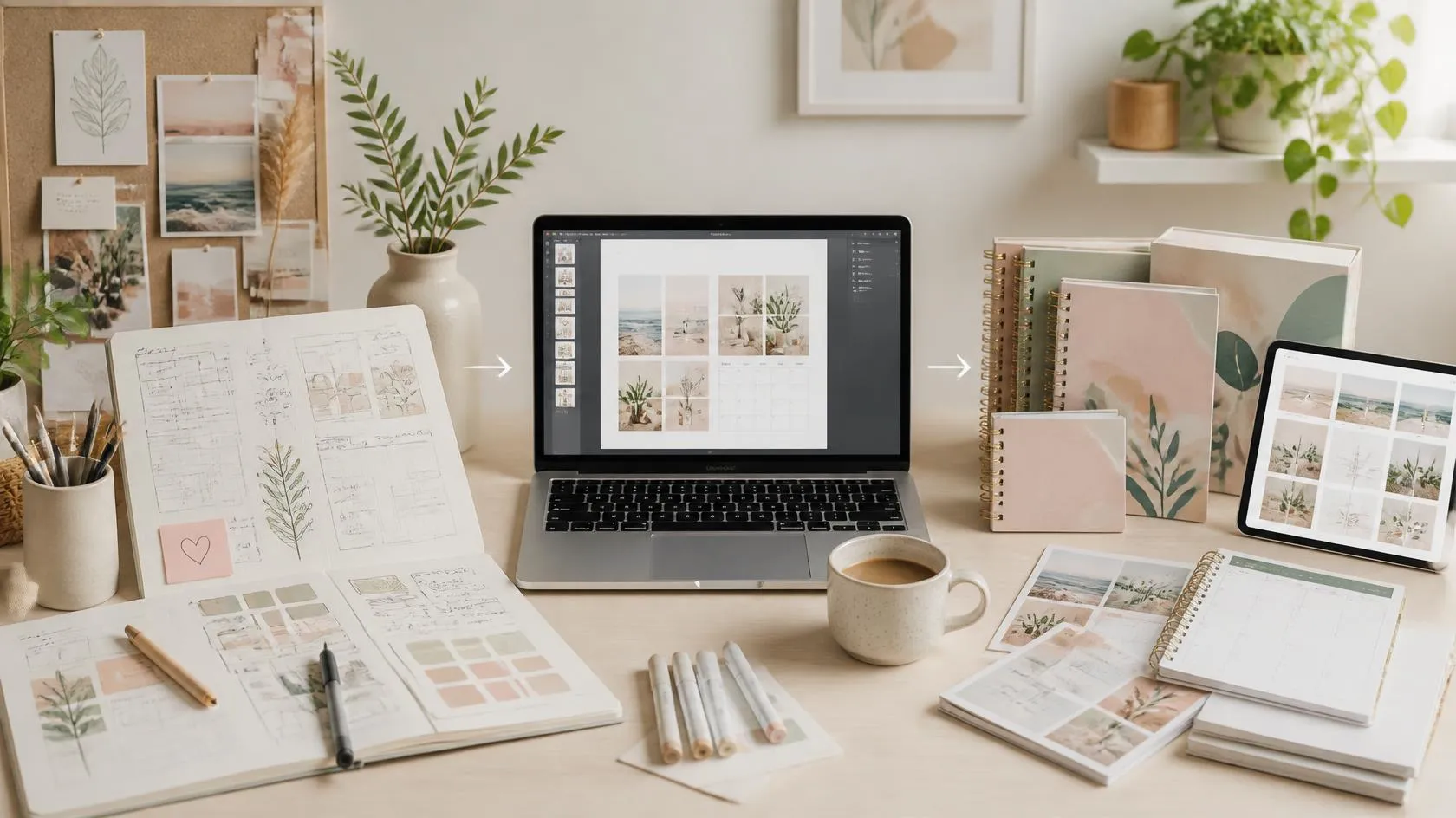
Creativity has always been valuable. Today, however, a creative idea can travel much further than a sketchbook, a studio, or a local shop.
* A planner can become a downloadable PDF.
* An illustration can become a printable wall art collection.
* A useful spreadsheet can become a digital template.
* A sewing pattern can become an instant download.
* A collection of illustrations can become stickers, stationery, or print-on-demand products.
The important shift is this:
A creative idea becomes a business opportunity when it solves a problem, serves a specific audience, and is packaged as a product people can actually use.
Digital products are particularly attractive because they can be delivered electronically without traditional inventory, packaging, or shipping. Platforms such as Etsy explicitly support digital downloads including artwork, patterns, templates, and other downloadable products.
So how can today's creator move from “I have an idea” to “I have a product people can buy”?
1. Start With the Idea — But Don't Stop There
Many creative projects begin with inspiration.
You see a beautiful color combination.
You think of a new planner layout.
You create an illustration you love.
You develop a spreadsheet that makes your own work easier.
That is the creative starting point.
But a commercially useful product requires another question:
Who could use this, and why would it be useful to them?
Instead of creating a product simply because it looks attractive, connect the idea to a specific situation.
For example:
A collection of illustrations → printable wall art.
- A collection of study layouts → student planner.
- A budgeting spreadsheet → personal finance template.
- A collection of social-media layouts → content planning template.
- A sewing design → downloadable sewing pattern.
- A set of icons → digital design resource.
- A collection of coloring illustrations → printable coloring book.
This approach does not mean creativity should become boring or purely commercial.
It means creativity is given a practical destination.
The Idea-to-Product Formula
Try this simple formula:
Creative Idea + Specific Audience + Useful Outcome = Product Opportunity
The more clearly you can define these three elements, the easier it becomes to decide what to create.
2. Choose a Product That Can Be Reused and Delivered Easily
One of the strengths of digital products is that the same prepared file can potentially be delivered to multiple customers.
For example,
a printable planner does not need to be physically packed and shipped for every order.
Etsy describes digital downloads as products such as downloadable art, patterns, party printables, and résumé templates, and distinguishes between instant downloads and made-to-order digital files.
This opens the door to many product formats.
Popular Digital Product Categories
Consider experimenting with:
Printables
- Planners
- Checklists
- Worksheets
- Wall art
- Coloring pages
- Study materials
- Journaling pages
Templates
- Social-media templates
- Business templates
- Presentation templates
- Resume templates
- Marketing templates
- Content calendars
Creative Resources
- Illustrations
- Icons
- Patterns
- Digital papers
- Design elements
- Brushes and graphics
Practical Tools
- Budget spreadsheets
- Project trackers
- Business worksheets
- Productivity systems
- Organization systems
Educational Products
- Guides
- Workbooks
- Study resources
- Activity books
- Creative tutorials
The best format depends on your skills and, more importantly, on the problem your audience is trying to solve.
3. Don't Try to Create Everything at Once
A common mistake among new creators is trying to build a huge product catalog immediately.
You do not necessarily need dozens or hundreds of products before launching.
Etsy's seller guidance specifically recommends experimenting with a few designs, observing what customers respond to, and then creating more products within categories that show potential.
A more manageable strategy is:
Start → Test → Learn → Improve → Expand
For example:
Stage 1: Create 3–5 related products.
Stage 2: Publish them with clear descriptions and attractive previews.
Stage 3: Promote them through your website and social channels.
Stage 4: Observe which products receive attention, clicks, saves, downloads, or sales.
Stage 5: Create variations or complementary products.
This turns your product catalog into a learning system rather than a guessing game.
4. Build a Product Around a Specific User Problem
A beautiful product is useful. Aul product that solves a clear problem is much easier to communicate.
Imagine two product descriptions:
Option A:
“Beautiful printable planner.”
Option B:
“A printable weekly planning system designed to help students organize study sessions, track habits, and focus on their most important tasks.”
The second description immediately communicates:
- Who it is for
- What it helps with
- What the product contains
- Why someone might need it
This is why successful product development starts with the customer experience rather than the file format.
Ask:
What will the customer be able to do after using my product?
That question can completely change the way you design.
5. Make the Product Easy to Understand Before Purchase
A customer cannot physically hold a digital product before buying it.
Your presentation therefore becomes part of the product experience.
A strong digital-product presentation should answer the following questions quickly:
What is it?
Clearly name the product.
Who is it for?
Identify the intended user.
What does it contain?
Show the main pages, features, or components.
What problem does it solve?
Explain the practical benefit.
What will the customer receive?
List the file types, number of pages, sizes, versions, or other important details.
How is it used?
Explain whether the product is printable, editable, interactive, or intended for a particular application.
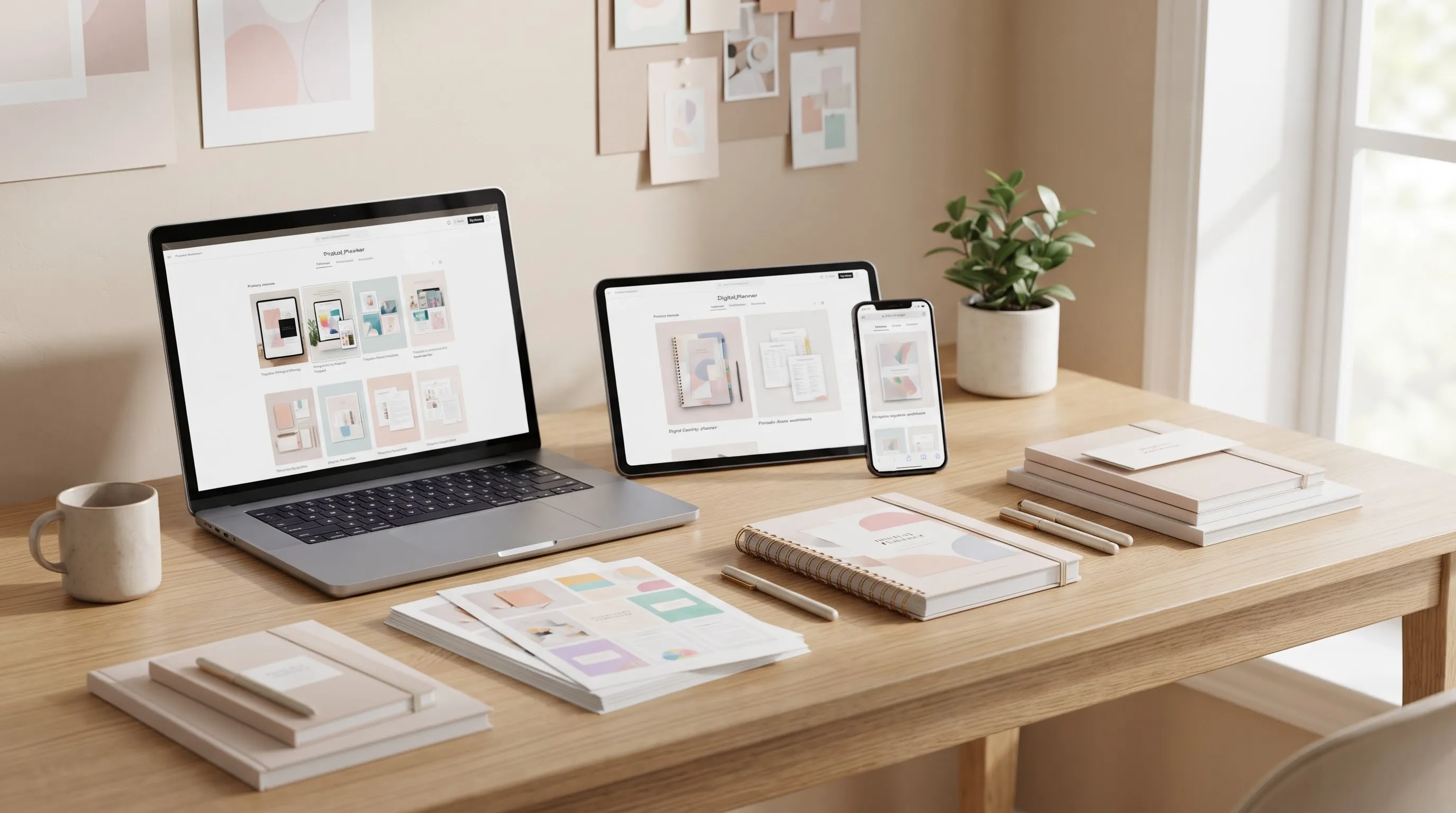
Good previews are especially important for planners, templates, artwork, and other visual products.
Canva itself provides product-presentation templates intended to help creators present products through listings, advertisements, catalogs, and other promotional materials.
6. Design for Use, Not Just for Appearance
Creative products compete for attention, but visual appeal alone does not guarantee usefulness.
A planner needs practical writing space.
A template needs clear editable areas.
A worksheet needs an understandable structure.
A digital guide needs readable typography and logical navigation.
A pattern needs accurate instructions.
A printable product needs appropriate dimensions and sufficient quality for its intended use.
This is where design thinking becomes important.
Before releasing a product, test it as if you were the customer.
Ask:
- Is the information easy to understand?
- Is the layout comfortable?
- Are instructions clear?
- Are the files correctly named?
- Are the dimensions correct?
- Can the customer easily open the files?
- Is anything missing?
- Does the final product actually solve the original problem?
A polished product should reduce friction rather than create more work for the buyer.
7. Use Technology as a Creative Accelerator
Today's creators have access to tools that can dramatically shorten the distance between an idea and a finished product.
Design applications can help with layouts, illustrations, presentations, social-media graphics, mockups, and product previews.
AI tools can also assist with brainstorming, research, variations, visual exploration, writing, and parts of the production workflow.
But technology should support the creator rather than replace creative judgment.
Adobe's 2026 research on creative work found evidence of AI reshaping and redistributing creative tasks, while working creatives continue to place importance on the human aspects of creative output, ownership, and judgment.
The practical lesson is simple:
Use technology to move faster, but keep the creative direction yours.
For example, AI can help you explore:
- Product ideas
- Color combinations
- Content structures
- Image concepts
- Marketing angles
- Product descriptions
- Variations of an existing concept
But you should still decide:
- What you want to create
- Who it is for
- What problem it solves
- What quality standard it must meet
- What makes your product different
Your creative judgment is part of the product.
8. Turn One Idea Into a Product Family
One strong idea does not have to remain one product.
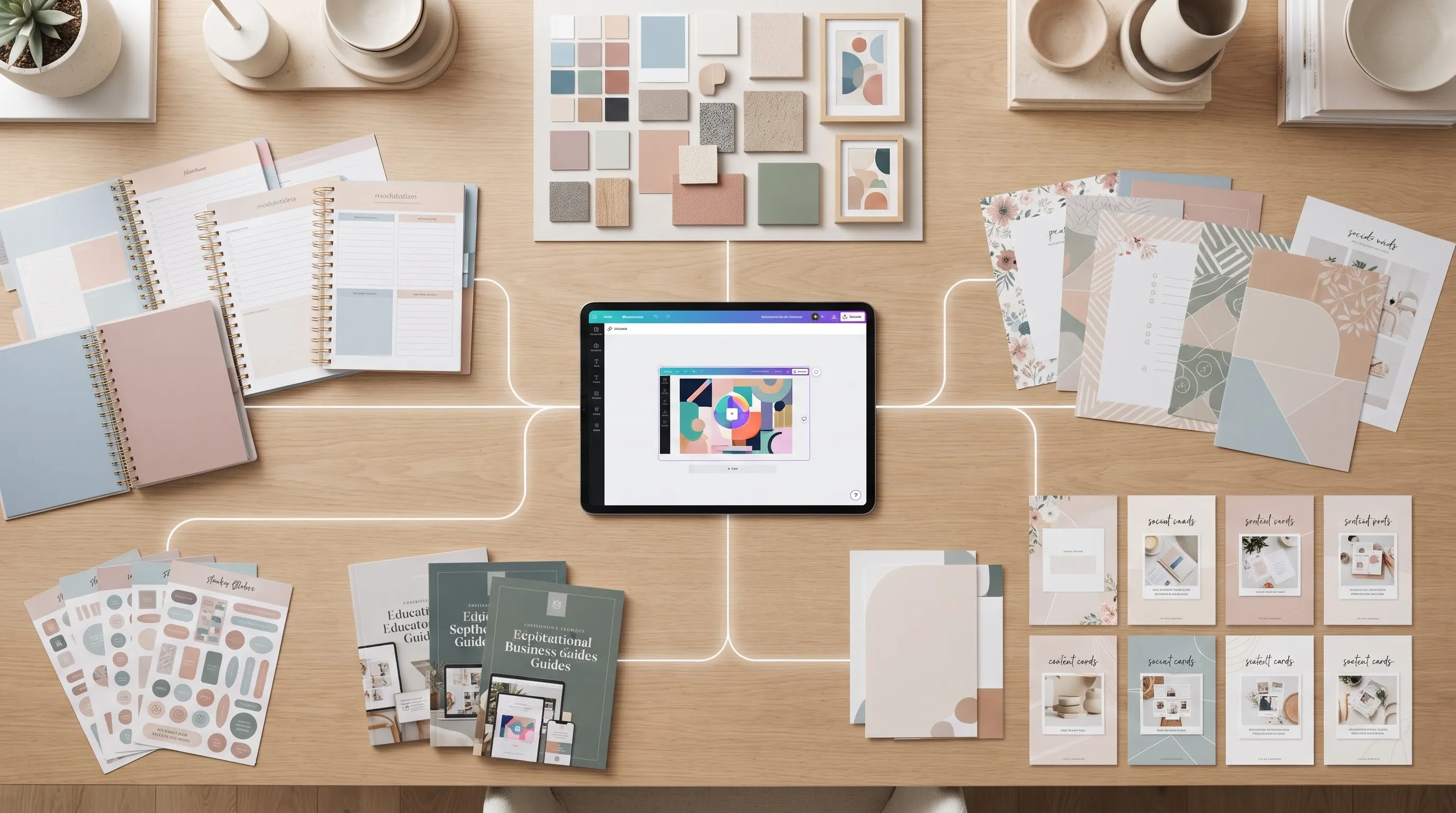
It can become the foundation of a small product ecosystem.
Imagine you create a student planner.
That idea could develop into:
Core Product → Student Planner
Complementary Products → Study Tracker
→ Assignment Tracker
→ Exam Planner
→ Habit Tracker
→ Printable Study Stickers
Content → Study planning guide
→ Article about effective weekly planning
→ Social-media tips
→ Pinterest graphics
Bundle → Complete Student Productivity Bundle
The advantage is that you are not starting from zero every time.
You are developing different products around the same audience and problem.
9. Build a Simple Sales Journey
Creating the product is only half of the process.
People need a way to discover it.
A simple customer journey might look like this:
Helpful Content
↓
Website or Product Page
↓
Product Preview
↓
Clear Benefits
↓
Purchase / Download
↓
Related Product
This is why your website can become more than a digital business card.
It can become the central home for your creative work.
Your articles can educate visitors.
Your product pages can demonstrate your solutions.
Your portfolio can establish your visual identity.
Your social-media content can bring new people into the website.
And your product links can turn interest into sales.
10. Let Content Market Your Products
You do not always need to create promotional posts that simply say:“Buy my product.”
Educational content can often introduce the problem first.
For example, if you sell a planner, you could publish an article about:
- How to organize a busy week
- How to plan study sessions
- How to avoid overwhelming to-do lists
- How to create a realistic weekly routine
If you sell design templates, you could write about:
- How to create consistent social-media content
- How to organize a small business brand
- How to prepare professional promotional graphics
If you sell creative resources, you could discuss:
- How to choose a design style
- How to build a creative workflow
- How to organize digital design assets
The content provides value first.
The product then becomes a practical next step.
11. Create a Recognizable Creative Identity
Your product does not have to look like everything else online.
A recognizable visual identity can help people remember your work.
Consider developing consistent choices for:
- Color palette
- Typography
- Illustration style
- Photography style
- Product mockups
- Website presentation
- Social-media graphics
- Product naming
Your goal is not necessarily to make every product identical.
Instead, create a visual relationship between your products.
Adobe's 2026 Creative Trends research highlights the growing importance of work that feels authentic, emotionally engaging, relevant, and human.
For creators, that means originality is not simply about making something visually different.
It is also about communicating a recognizable point of view.
12. Consider Templates as a Separate Opportunity
Templates deserve special attention because they allow customers to adapt a prepared structure to their own needs.
Canva's Template Creator program, for example, allows accepted creators to publish templates to its marketplace and earn royalties based on template usage.
Canva also explains that templates can cover many formats, including presentations, social-media content, business cards, resumes, printed materials, and other documents.
However, creators should always check the current licensing rules of the platform and the assets they use.
For example, Canva's current guidance places specific conditions on selling templates and on the use of Pro content.
The broader lesson is important:
Before turning a creative asset into a commercial product, understand the license that applies to the asset.
Your product should be creative — but it should also be commercially compliant.
13. Protect the Value of Your Work
Digital products are easy to duplicate, so creators should think carefully about ownership and licensing.
Keep records of:
- Original source files
- Creation dates
- Design versions
- Purchased assets
- Font licenses
- Stock licenses
- AI-assisted workflows where relevant
- Product descriptions
- Final exported files
If you use third-party elements, check whether the license permits commercial use and the specific type of product you intend to sell.
For marketplace sellers, platform rules can also affect how products are created and presented.
For example, Etsy currently states that digital items listed by sellers must be made and/or designed by the seller, while seller-prompted AI creations must disclose AI use under its current Creativity Standards.
Rules can change, so always check the current terms of the platform you are using.
14. Measure More Than Sales
Sales are important, but they are not the only useful signal.
A creator can learn from:
- Website visits
- Product-page views
- Click-through rates
- Social-media saves
- Pinterest impressions
- Downloads
- Email sign-ups
- Customer questions
- Reviews
- Repeat purchases
- Which products attract the most attention
Suppose one product receives many views but few purchases.
That could indicate several possibilities:
- The product is not clearly explained.
- The preview is weak.
- The price does not match the perceived value.
- The audience is not sufficiently targeted.
- The product itself needs improvement.
Data does not automatically tell you the answer.
But it tells you where to investigate.
15. Think in Systems, Not Individual Products
The most sustainable creative businesses are rarely built around one isolated file.
They are built around connected systems.
A simple system might look like this:
IDEA
↓
AUDIENCE
↓
PROBLEM
↓
PRODUCT
↓
CONTENT
↓
TRAFFIC
↓
SALE
↓
FEEDBACK
↓
IMPROVEMENT
↓
NEW PRODUCT
This creates a cycle.
Every product can teach you something.
Every article can attract a new visitor.
Every customer question can inspire an improvement.
Every successful product can inspire a related product.
And every experiment can make the next launch smarter.
16. Start Small — Then Build Intentionally
You do not need a perfect brand, a huge catalog, or an elaborate business system before starting.
Begin with one clear audience and one useful problem.
Create a small product.
Present it professionally.
Publish useful content around the problem.
Make it easy for interested visitors to find the product.
Then observe what happens.
The goal is not simply to produce more.
The goal is to create better connections between creativity, usefulness, and customer needs.
the Creator's Strategy in One Sentence
A successful creative product is not simply an attractive file.
It is a useful solution packaged with creativity, presented clearly, distributed strategically, and improved through real-world feedback.
Your next profitable digital product may already be hiding inside an idea you have not fully developed yet.
Instead of asking:
“What should I create?”
Try asking:
“What can I create that makes something easier, clearer, more enjoyable, or more beautiful for a specific person?”
That question can turn creativity into something much more powerful:
a product with a purpose.
Ready to Turn Your Next Idea Into a Product?
The right tools can help you transform creative ideas into finished digital products. Whether you are designing printable artwork, stickers, illustrations, or digital design collections, choosing tools that suit your creative workflow is an important step.
A Tracing Light Pad for Creative Projects
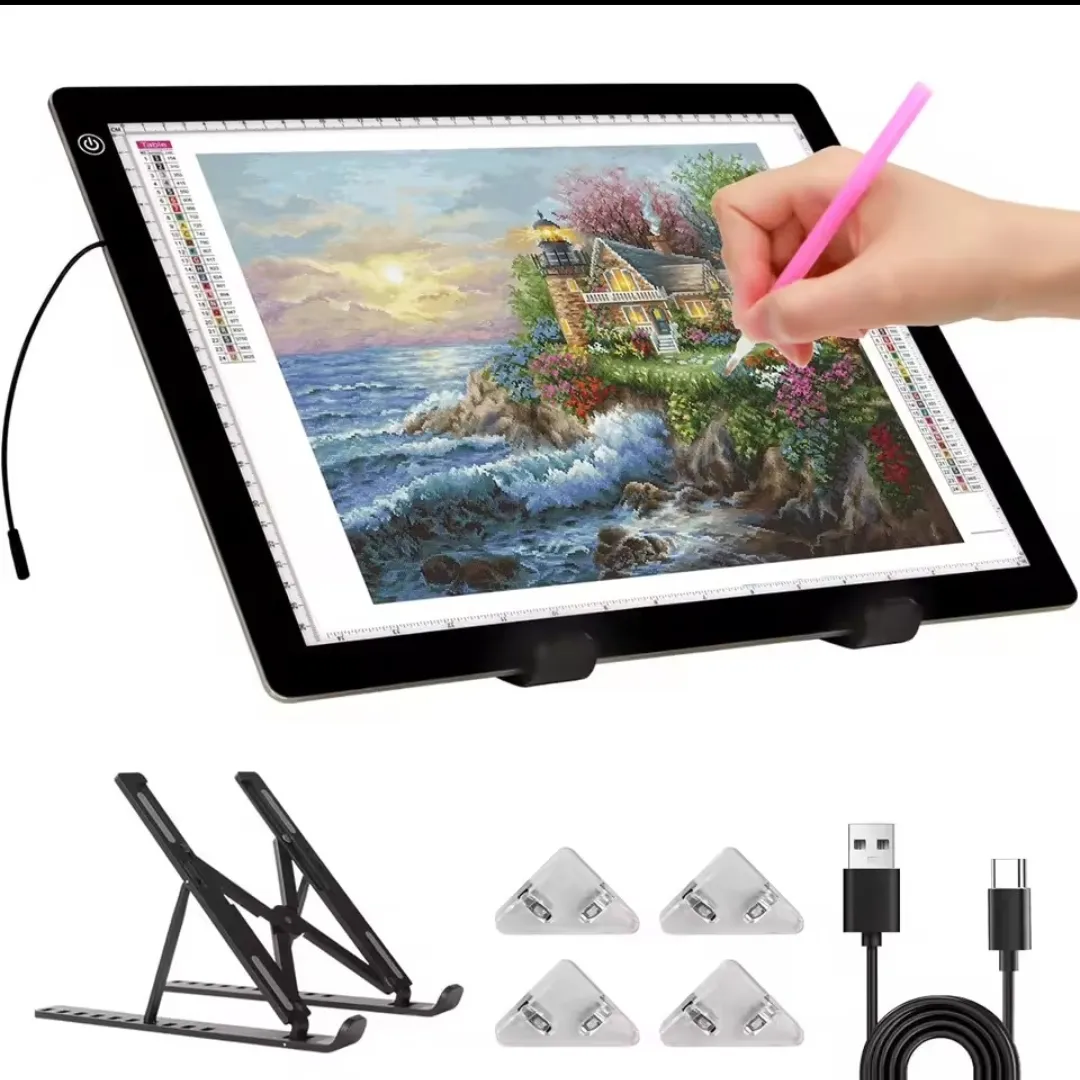
If you enjoy drawing, tracing patterns, or creating original designs, an A3 tracing light pad can be a useful addition to your creative workspace. Its illuminated surface can help you see lines and patterns more clearly while working on illustrations, transferring sketches, or completing diamond painting projects.
This light pad features a large A3 work area, an ultra-thin design, an adjustable brightness function, and a built-in stand. It may be a practical option for artists, crafters, and beginners who want to make their creative process more comfortable.
Explore this [A3 Tracing Light Pad with Stand] to review the product details, current price, and available specifications before purchasing.
👉 Check Product Details and Price
This article contains an affiliate link. If you make a qualifying purchase through this link, we may earn a commission at no additional cost to you.